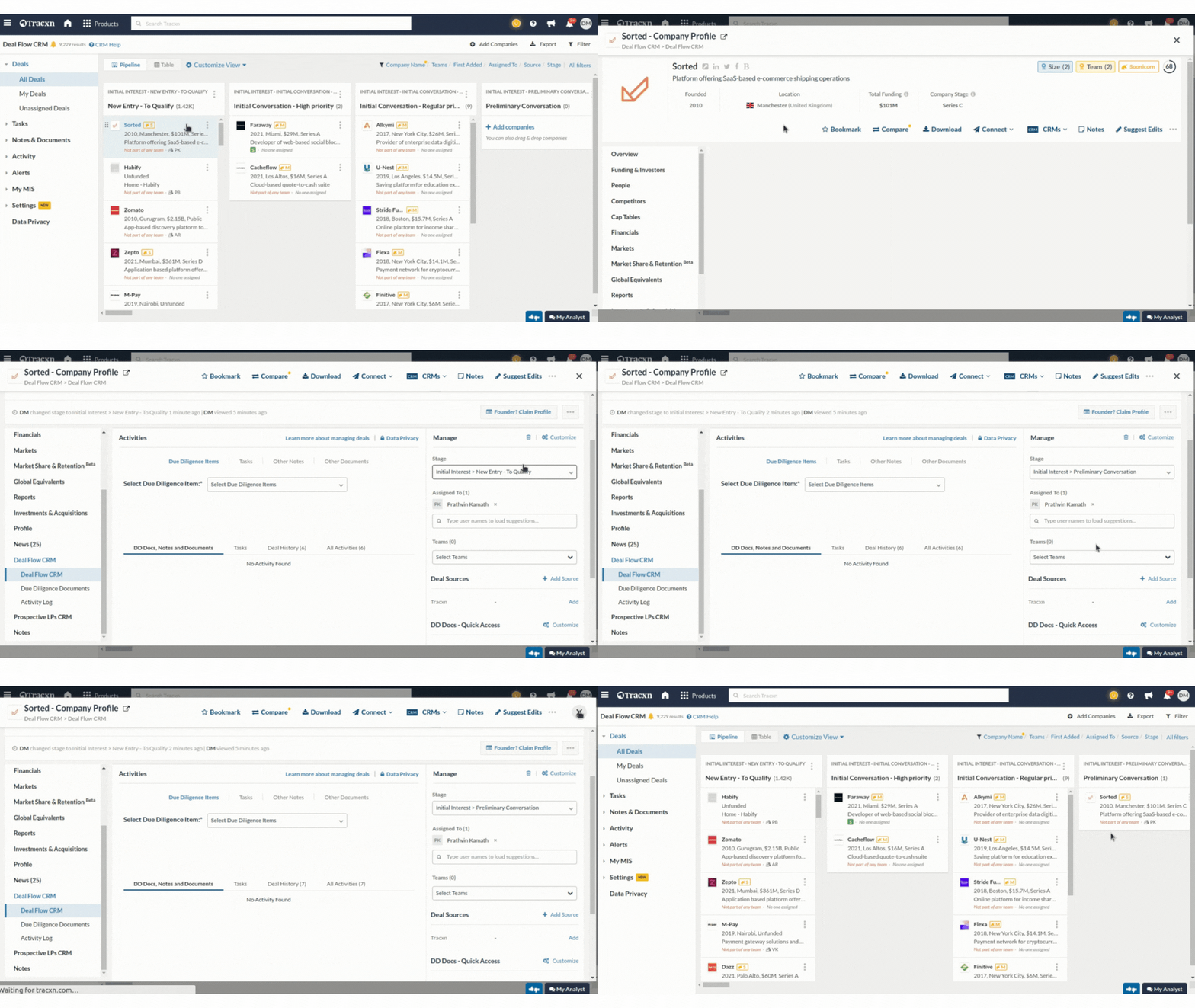
You can easily update the stage as the deal progresses through its journey by following this instructions:
N8
The current stage information of the deal can be viewed in the stage field (on the right side).
To select a different stage for the deal, click on the drop-down menu and select the target stage of that deal Only stages that are configured in your CRM will be visible.
By default, you will see the pre-set stages. However, the stages in the CRM are fuSportslly customizable. Read this article to know more about customizing the deal stages.