The LiveDeals Platform is integrated with Tracxn's Company Database. This allows you to create a listing for any company from Tracxn's Database. You can also create listings for the companies which are not covered on the Tracxn platform.
You can create a listing on LiveDeals Platform using the steps below:
Start by clicking on the List Your Deal button.
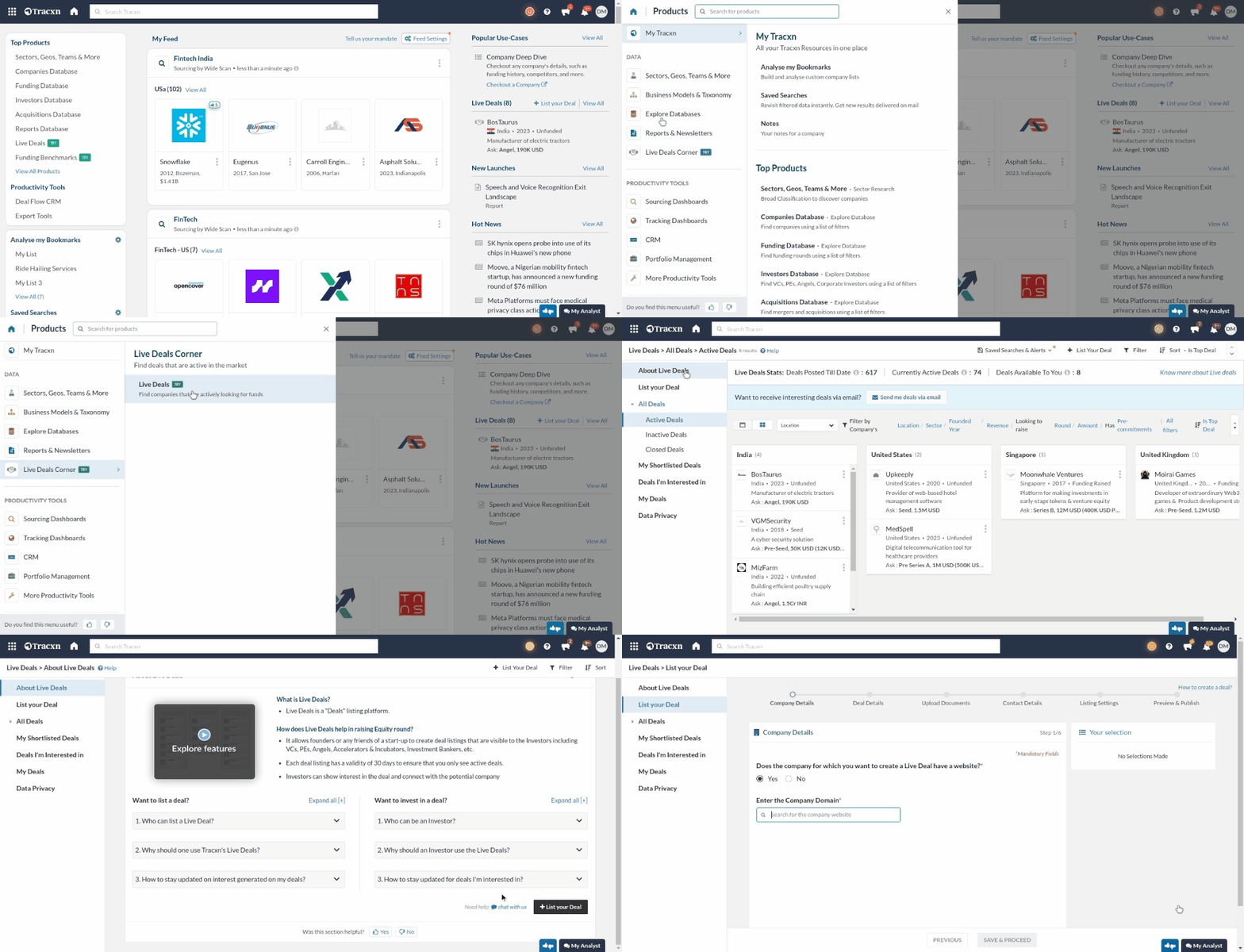
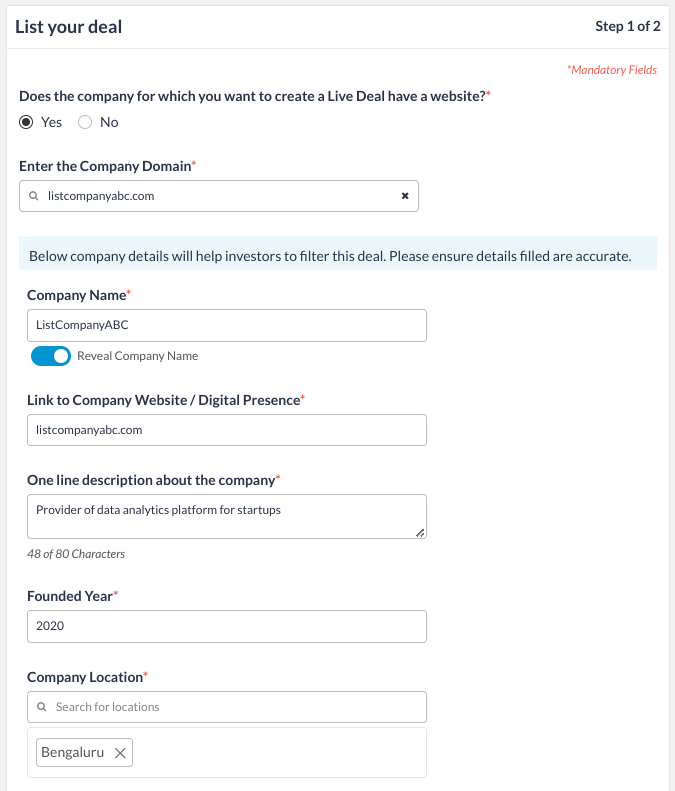
Search your company using company or domain name and add basic information (including Founded Year, Location, Sector, Funding Stage, and Funding Amount ) in the Company Details section to create your listing.
Note:
Any company with a valid company/domain name (For example - tracxn, tracxn.com, tracxn.io) can be searched for the deal creation.
N8
Fill in all the company details such as Company Name, one-line description, Founded Year, Company Location, etc.
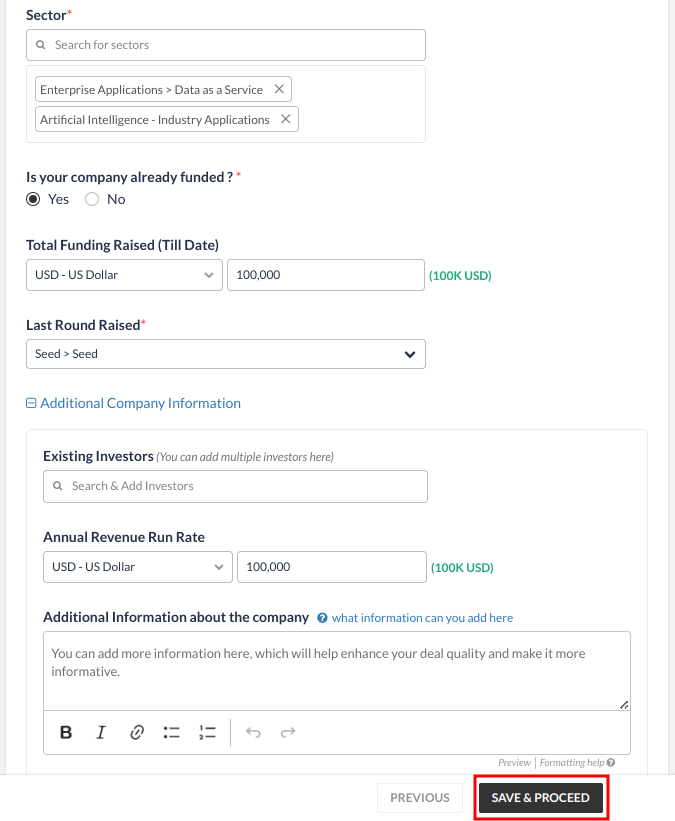
Add details like Sector, Funding Details, and any other additional information (Market, Product, Traction, etc.) [This is Optional]
Click on “Save & Proceed” once done.
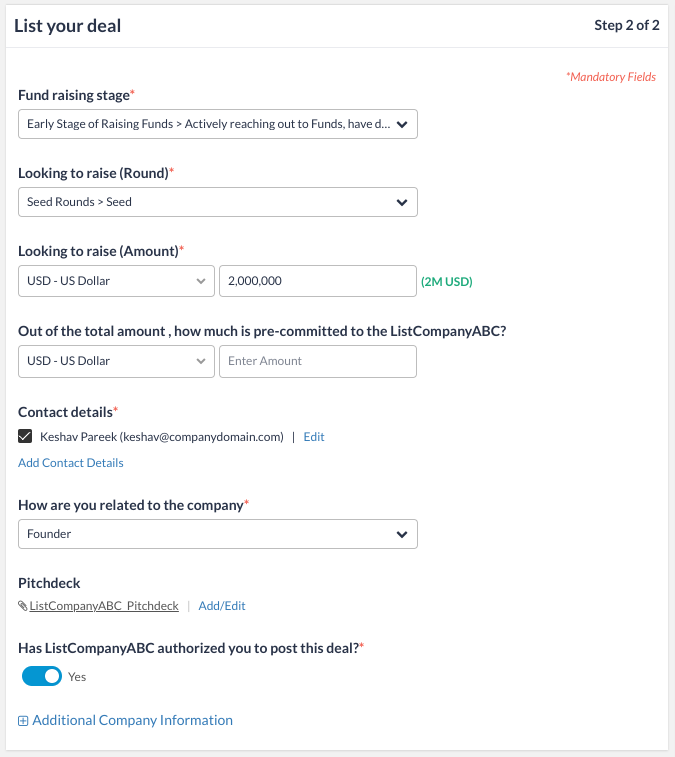
Deal Details:
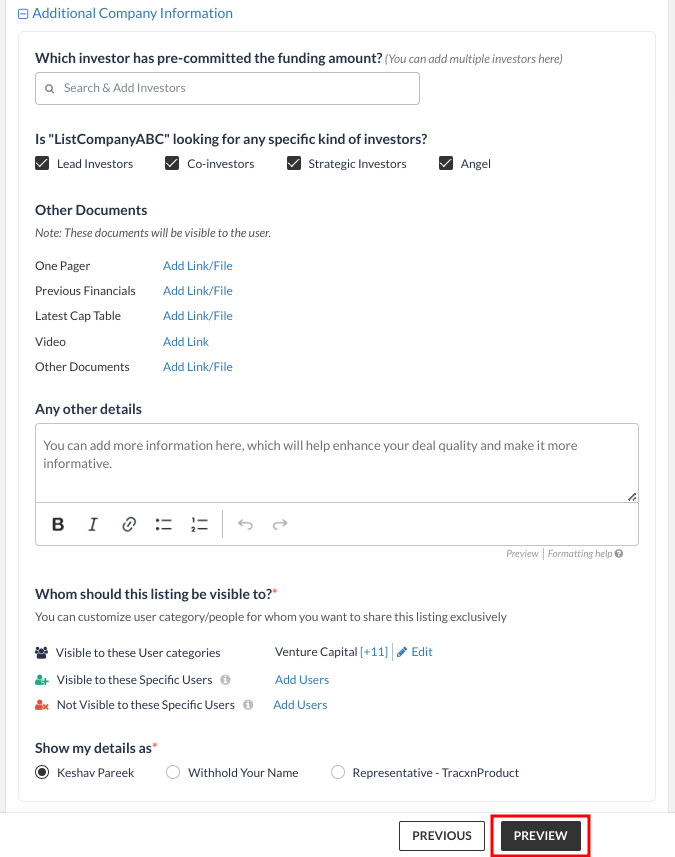
Choose all the relevant options and add the details as per your requirements.
Add contact details (to get in touch with investors interested in your deal)
Add Pitchdeck and any other additional information. [This is Optional]
Choose the relevant investor category and the listing settings.
Click on “Preview” once you are ready to publish your listing
Uwin
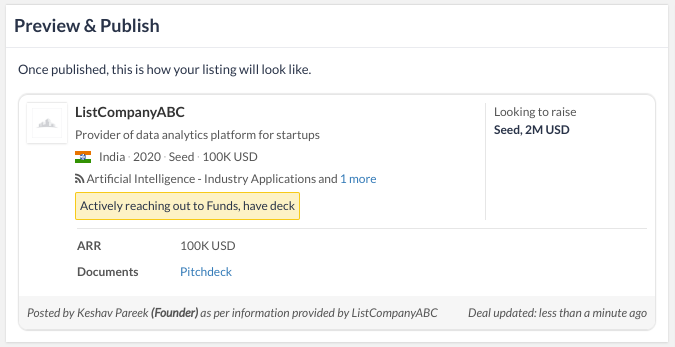
Preview & Publish: Your company is now ready to be listed for Live Deals.
Click on the “Publish” button to list your company in Live Deals.
You can “Save as Draft” to review and publish it later.

Note:
In the Deal Creation flow, few details will be pre-filled or pre-selected by default if the Company for which the deal is being created is already present in Tracxn's Database.
The Deal Creator can edit these details based on their preference.